To identify a Mac address, also known as a Media Access Control address, you need to understand that it is a unique identifier assigned to network interfaces for communication at the data link layer of a network segment. Mac addresses are used for numerous purposes, including network diagnosis and security. Here are five ways to find a Mac address on different devices:
Understanding Mac Addresses
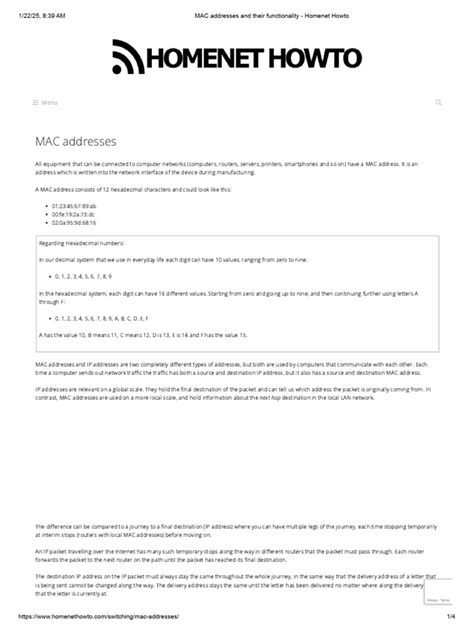
Before diving into the methods to find a Mac address, it’s crucial to understand what a Mac address is. A Mac address is a 48-bit address, typically represented in a format of six groups of two hexadecimal digits (0 to 9 or A to F), separated by colons, dashes, or no separator at all. For example, a Mac address might look like 00:11:22:33:44:55. Each network interface, including Wi-Fi and Ethernet adapters, has its unique Mac address.
Method 1: Finding Mac Address on Windows
To find the Mac address on a Windows device, you can use the Command Prompt. Here’s how:
1. Open the Command Prompt. You can do this by pressing the Windows key + R, typing cmd, and pressing Enter.
2. Type ipconfig /all and press Enter. This command will display a list of all your network adapters along with their configurations, including the Mac address, which is labeled as “Physical Address”.
3. Look for the section related to your Ethernet adapter or Wi-Fi adapter, and you will see the Physical Address, which is your Mac address.
Method 2: Finding Mac Address on macOS
On a Mac, finding the Mac address is straightforward: 1. Click on the Apple menu and select System Preferences. 2. Click on Network. 3. Select the network connection you want to find the Mac address for (e.g., Wi-Fi or Ethernet). 4. Click on the Advanced button. 5. Go to the Hardware tab for Ethernet or the TCP/IP tab for Wi-Fi, and you will see the Mac address listed as the MAC Address.
Method 3: Finding Mac Address on Linux
For Linux users, the process involves using the terminal:
1. Open a terminal window.
2. Type ip link show or ip addr and press Enter. This will display information about your network interfaces.
3. Look for the interface you are interested in (e.g., eth0 for Ethernet or wlan0 for Wi-Fi), and you will see the link/ether address, which is your Mac address.
Method 4: Finding Mac Address on Mobile Devices
On mobile devices, the process varies slightly depending on the operating system: - For Android devices: Go to Settings > About phone > Status. The Mac address should be listed there. - For iOS devices: Go to Settings > General > About, and scroll down to find the Wi-Fi Address, which is the Mac address of your device’s Wi-Fi adapter.
Method 5: Using Network Configuration Tools
Some network configuration tools and network management software can also display the Mac address of devices connected to your network. For example, your router’s administration interface often lists the Mac addresses of connected devices. To access this, you usually type the router’s IP address in a web browser, log in, and look for a section like “Connected Devices” or “Device List” where Mac addresses are listed.
Key Points
- Mac addresses are unique identifiers for network interfaces.
- They can be found using the Command Prompt on Windows, System Preferences on macOS, the terminal on Linux, and the Settings app on mobile devices.
- Network configuration tools and router administration interfaces can also display Mac addresses.
- Understanding and managing Mac addresses is crucial for network security and troubleshooting.
- Each method to find a Mac address involves accessing device settings or network information through specific commands or interfaces.
In conclusion, finding a Mac address is a straightforward process that varies depending on the device and operating system you are using. Whether you are troubleshooting network issues, configuring network security, or simply need to identify devices on your network, knowing how to find a Mac address is an essential skill for any network user or administrator.
What is a Mac address used for?
+A Mac address is used for identifying devices on a network at the data link layer. It is crucial for network communication, security, and device identification.
Can a Mac address be changed?
+While Mac addresses are designed to be permanent, some network interfaces allow the Mac address to be changed through software. This is often done for privacy or security reasons.
How do I use a Mac address for network security?
+Mac addresses can be used to restrict network access by only allowing devices with specific Mac addresses to connect. This is known as Mac address filtering and can be set up on routers and network devices.