When it comes to optimizing images for search engines and improving user experience, alt text plays a crucial role. Also known as alternative text or alt tags, this short description of an image is used by search engines to understand the content of the image, which can improve the image's visibility in search results. Moreover, alt text is read aloud by screen readers, making it essential for accessibility. Here are five expert tips on crafting effective alt text, incorporating best practices for both Google Discover and Bing search engine algorithms.
Key Points
- Be descriptive and concise when writing alt text, aiming for a balance between providing enough information and avoiding excessive detail.
- Use relevant keywords naturally, as this can enhance the image's visibility in search results without compromising accessibility.
- Focus on the content of the image rather than its decorative aspects, ensuring that the alt text provides meaningful information to users who cannot see the image.
- Test your alt text with screen readers to ensure it is accessible and understandable, providing a seamless experience for all users.
- Maintain consistency in your alt text style across your website or platform, which can help in establishing a professional tone and improving user trust.
Understanding Alt Text and Its Importance
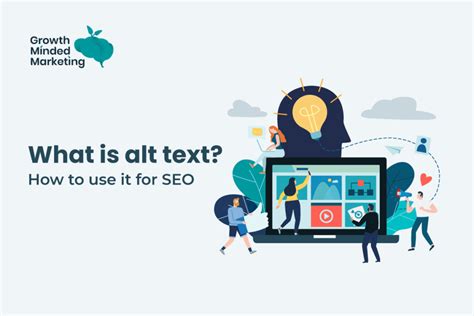
Alt text is not just a secondary attribute of an image; it is a fundamental aspect of web accessibility and search engine optimization (SEO). By providing a text description of an image, you enable search engines to crawl and index the image more effectively, potentially increasing its appearance in image search results. For users with visual impairments, alt text is vital as it allows them to “see” the image through the description provided by screen readers. This dual function of alt text—improving SEO and accessibility—makes it a crucial element in web development and content creation.
Crafting Effective Alt Text
Crafting effective alt text requires a balance between being descriptive and concise. The description should be long enough to convey the essential information about the image but short enough to be quickly read by screen readers without becoming tedious. A good rule of thumb is to limit alt text to 125 characters or less, though this can vary depending on the context and the image’s complexity. For example, if the image is of a sunset over a mountain range, a concise yet descriptive alt text could be “Sunset over mountain range.”
| Alt Text Characteristics | Guidelines |
|---|---|
| Length | 125 characters or less for simple images, up to 250 characters for more complex scenes |
| Description | Focus on the main subject and key elements of the image |
| Keyword Usage | Natural inclusion of relevant keywords to enhance SEO |
| Accessibility | Ensure the text is readable and understandable when used with screen readers |
Implementing Best Practices for Alt Text
Implementing best practices for alt text involves understanding its role in both SEO and accessibility. For SEO, using relevant keywords in your alt text can improve the image’s visibility in search results. However, it’s crucial to use these keywords naturally and not to stuff the alt text with them, as this can lead to a negative user experience and potential penalties from search engines. For accessibility, ensuring that the alt text is descriptive and can be easily read by screen readers is paramount. Testing your alt text with different screen readers can provide valuable insights into its effectiveness and accessibility.
Testing and Iteration
Testing your alt text is a crucial step in ensuring its effectiveness. This involves not just checking for accessibility but also evaluating how well the alt text communicates the image’s content. Tools like screen readers can help in this process, allowing you to hear how the alt text sounds and make adjustments accordingly. Additionally, soliciting feedback from users, especially those with visual impairments, can provide valuable insights into improving the alt text’s quality and accessibility.
How do I know if my alt text is effective?
+Evaluating the effectiveness of your alt text involves considering both SEO and accessibility metrics. For SEO, monitor the image's performance in search results. For accessibility, test the alt text with screen readers and solicit user feedback to ensure it provides a clear and concise description of the image.
Can I use the same alt text for similar images?
+While it might be tempting to use the same alt text for similar images, it's generally recommended to customize the alt text for each image. This ensures that the description accurately reflects the unique content of each image, which is important for both SEO and accessibility.
In conclusion, crafting effective alt text is a multifaceted task that requires consideration of both SEO and accessibility. By being descriptive, concise, and naturally incorporating relevant keywords, you can improve the visibility and accessibility of your images. Remember, alt text is not just a technical requirement but a tool to enhance user experience and engagement. As you continue to optimize your images with well-crafted alt text, you’ll not only improve your website’s accessibility and SEO but also provide a more inclusive and engaging experience for all your users.